Resort Buggy

Three taps. One ride. Zero radio calls.

Here's how Resort Buggy works for guests, drivers, and your operations team.

For your guests

No app downloads. No accounts. No tipping awkwardness.
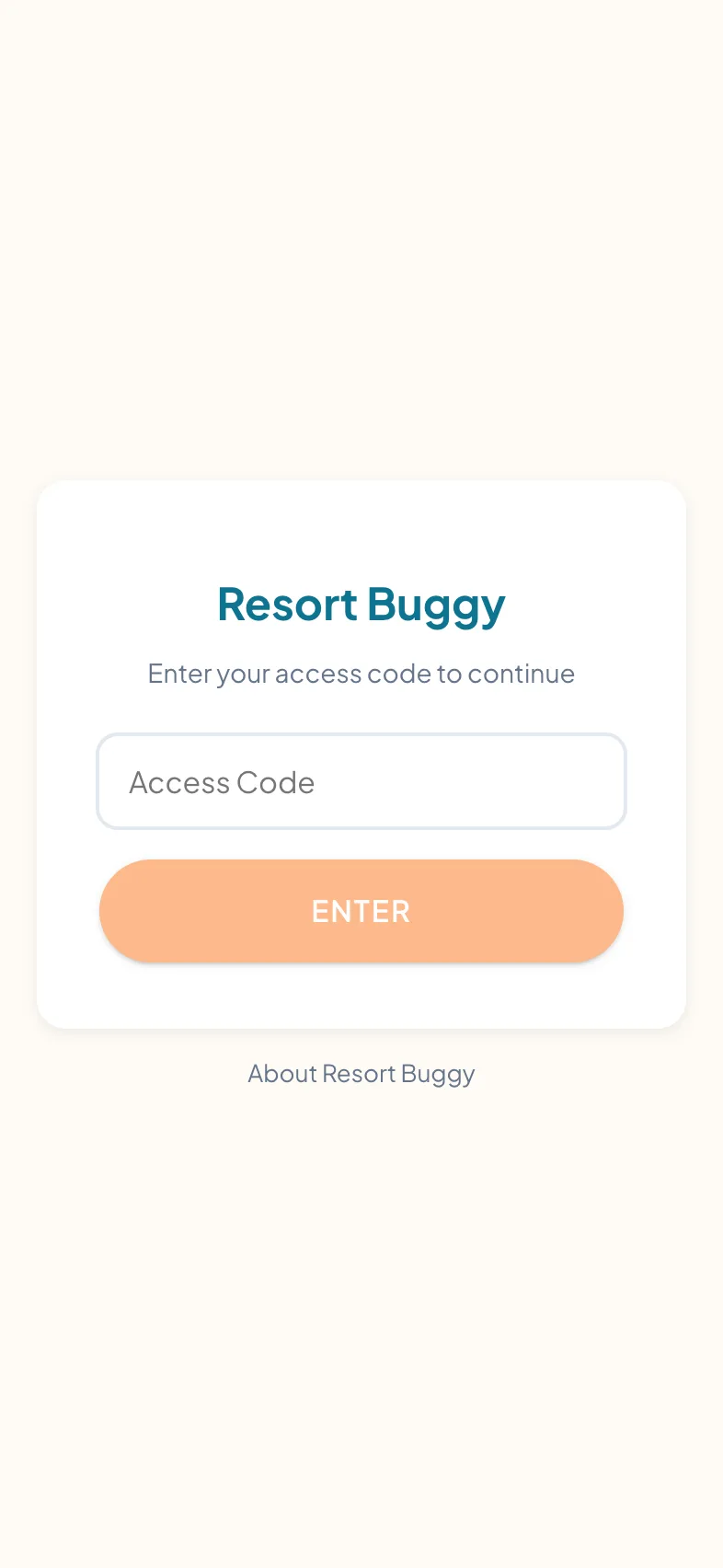
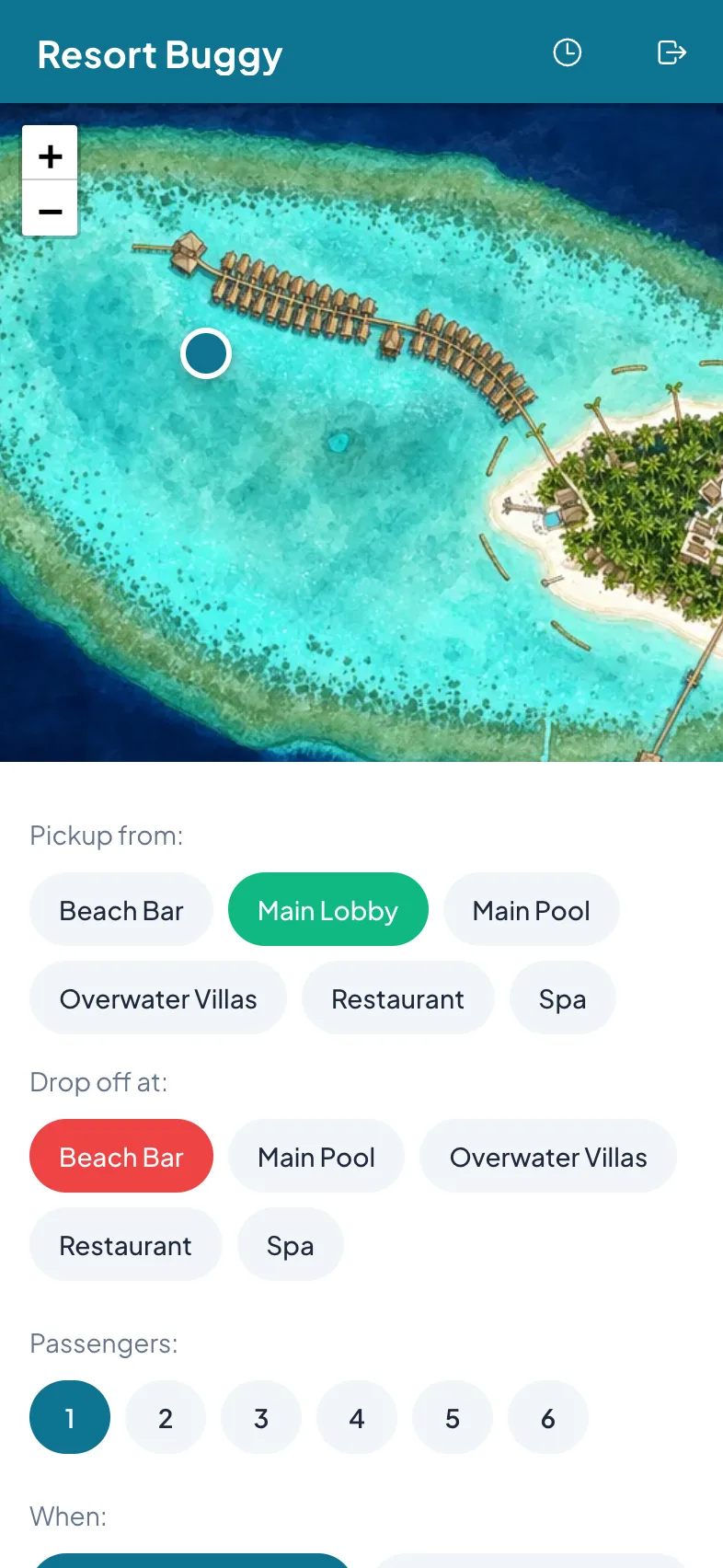
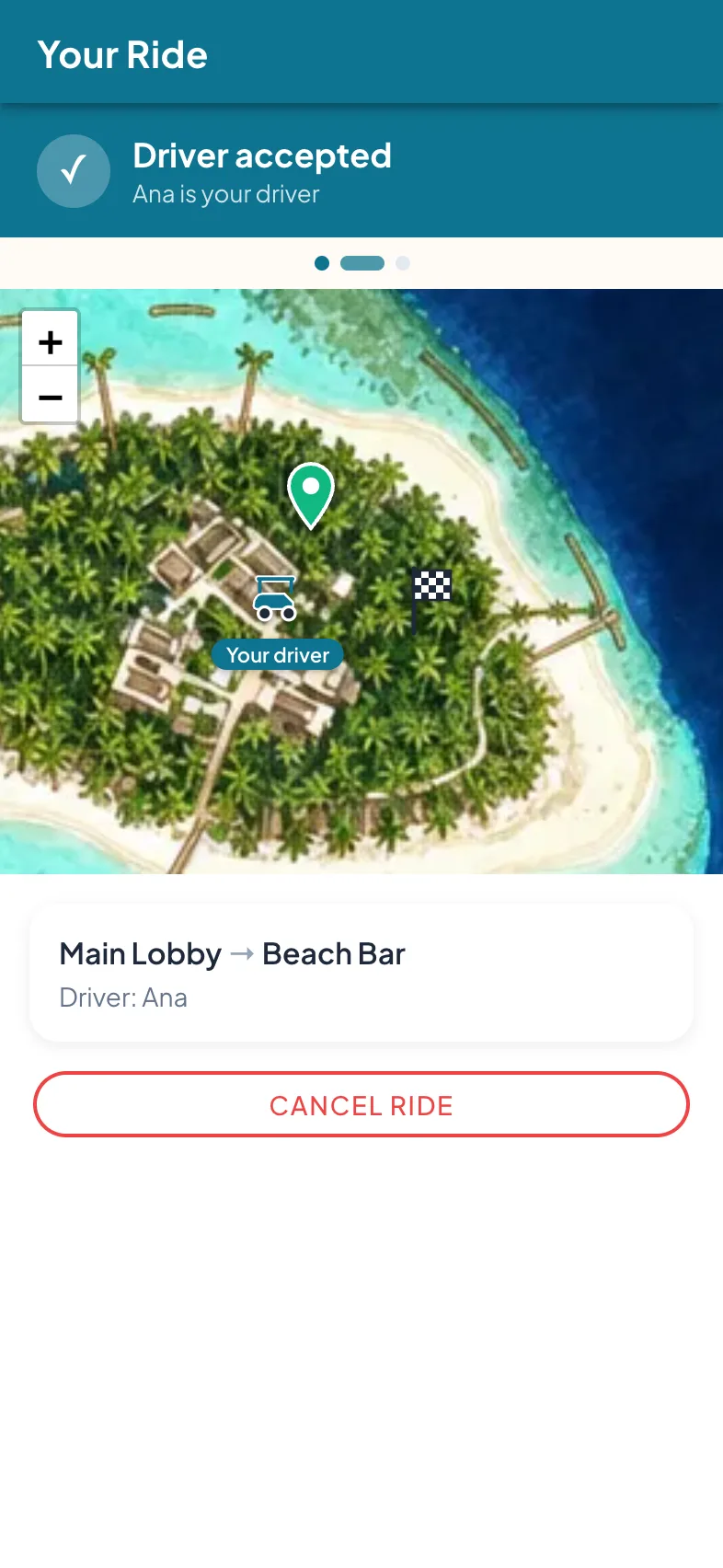
Welcome screen showing the resort's name and access code field, opened by scanning a QR codeGuest booking sheet with large pickup and destination selectorsLive order status showing the buggy approaching on the resort map

Scan → pick → track. The whole guest flow.

1

Scan a QR code

At your villa, the clubhouse, or any pickup point. No app store, no download.

2

Pick pickup + destination

Tap your location — or use your phone's, and we pick the nearest point. Selectors are big, fast, sandy-finger friendly.

3

Watch your buggy approach

Live GPS dot on the map. Push notification when it arrives at your pickup.

For your drivers

Built for people moving. Big buttons. One action per screen.

1

Toggle online

You decide when you're in the queue. Off-shift means off the rotation.

2

Accept incoming request

Card-first interface, huge Accept button. Built for gloves and sunglasses.

3

One action per state

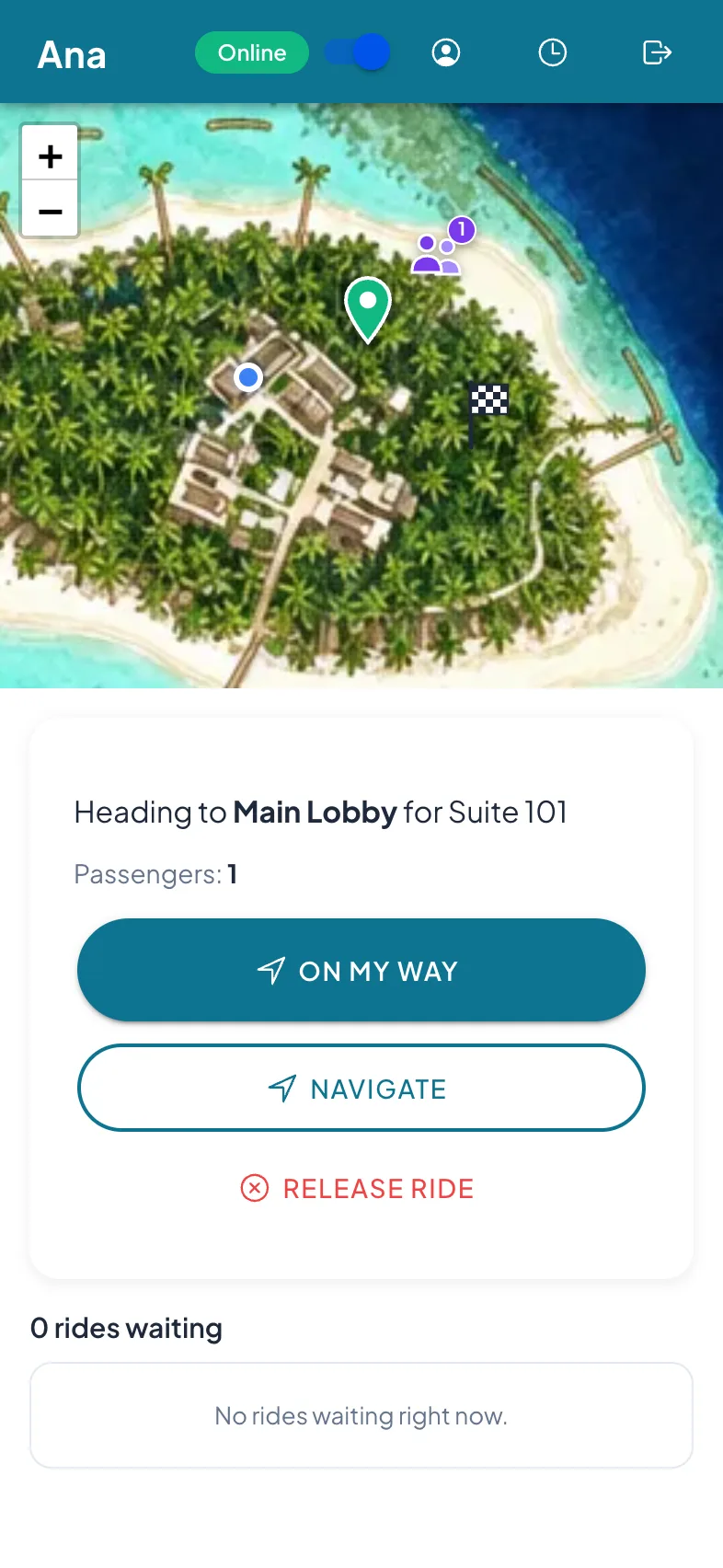
On My Way → Arrived → Start → Complete. Single button, color-coded, impossible to misclick.
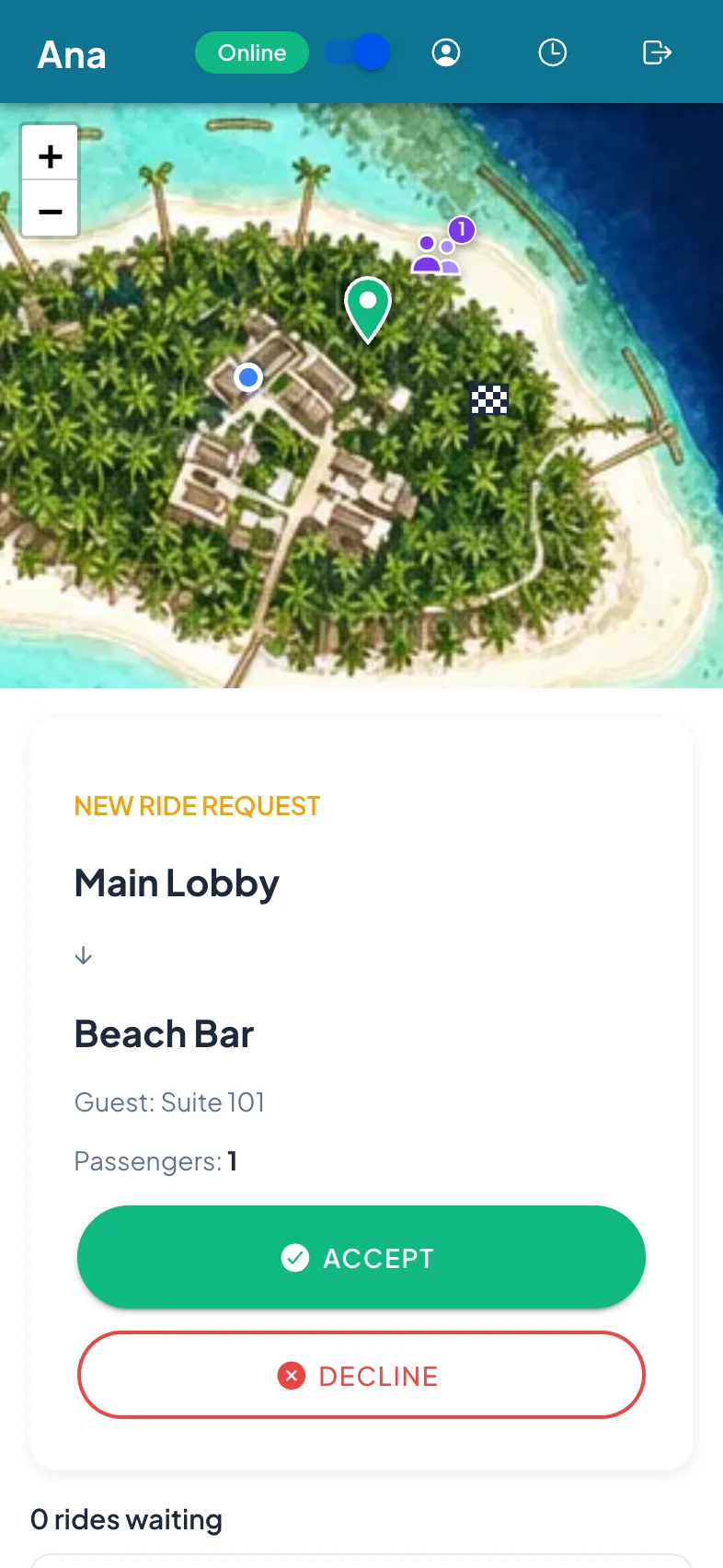
Driver incoming ride request card with a large Accept button
Driver active ride card with a single color-coded status button

For your operations team

Set up in one sitting. Run from your phone or tablet.

1

Set up your map

Upload your illustrated map, align it on the satellite view, and drop your pickup points. About 30 minutes — no IT project, no integrations to wire.
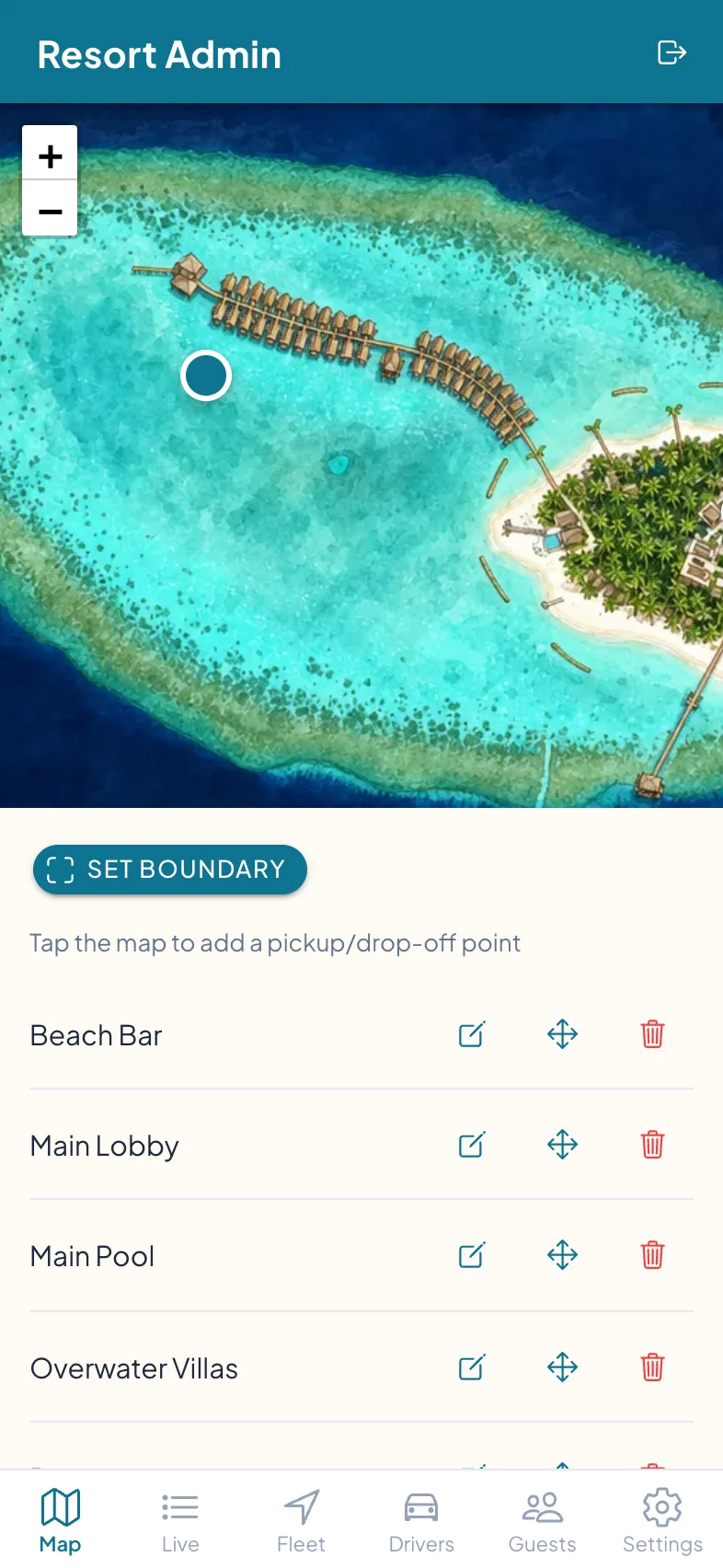
Admin map editor placing pickup points on the property map
2

Generate access codes

One QR per villa, one PIN per driver. Print, hand out, done.
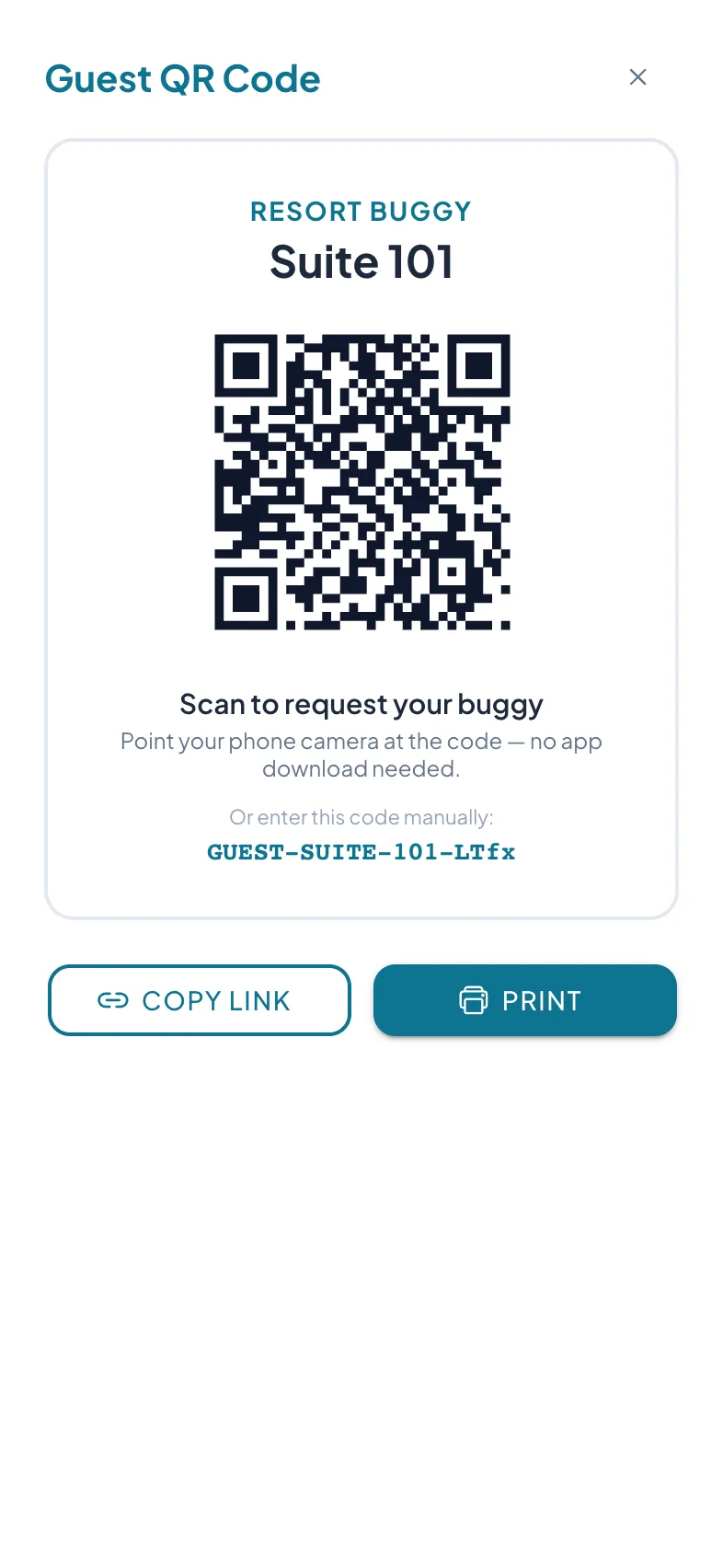
Admin guest QR code modal with copy link and print options
3

Monitor live operations

A real-time dashboard leads with the number that matters — the average wait from a guest’s request to boarding — alongside active orders, driver online status, and ride history.
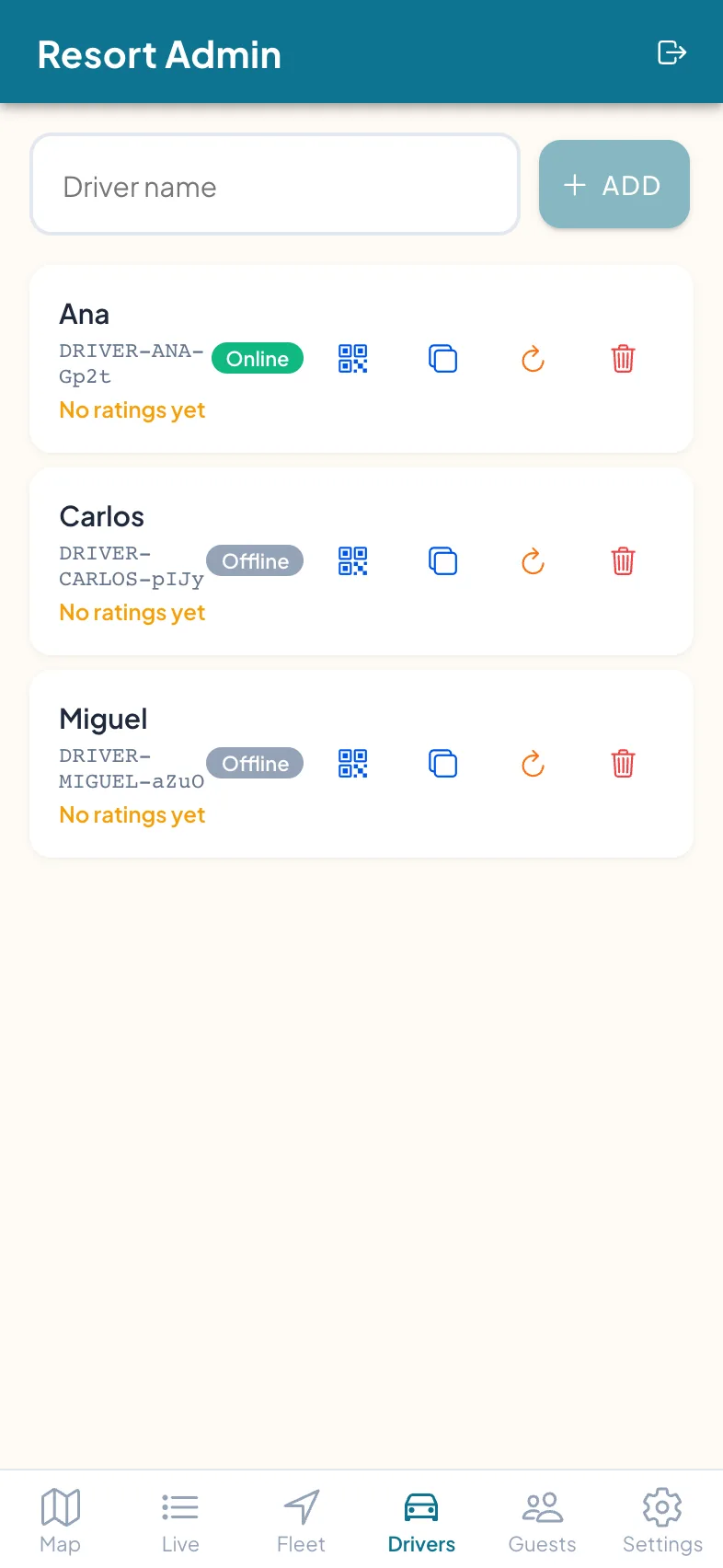
Admin Drivers tab listing drivers with online status and access codes

Common questions

Do guests need a cellular data plan?
No — the app runs over your resort WiFi, so guests connect without using their own mobile data. It does need a live connection to the resort network: rides are dispatched and tracked in real time, so the app has to be online to book or follow a buggy.
What if our WiFi has dead zones?
Socket.io auto-reconnects when WiFi resumes. The app shows a "Reconnecting..." banner in low-signal moments. For persistent dead zones, we recommend AP placement adjustments — we can help.
Can guests use it without downloading anything?
Yes. It's a PWA — they scan a QR, the app loads in their browser, they tap "Add to Home Screen" if they want notifications. Zero app store friction.
What devices does it support?
Any modern smartphone: iPhone (iOS 16.4+ for push), Android (all recent), tablets. The driver and admin apps run on the same devices.
How do drivers get notified of new orders?
Web Push notifications + sound, with a vibration on Android devices. Push works even when the app is backgrounded.
Can we customize the map?
Yes. Upload your illustrated resort/course map as an image overlay on top of the satellite view. Drag to align corners. Adjust opacity. Looks like your map, not a generic one.
Is our data secure?
TLS in transit and at rest, multi-tenant isolation, role-based access. Your property's data is scoped to your account only. See our /security page.
Can guests book a ride for later?
Yes. Guests can request a buggy on demand, or schedule it as a reservation up to 30 days ahead — handy for boat and seaplane transfers and early tee times. Scheduled rides wait in the queue and dispatch automatically at the chosen time.
Can we add photos and hours to pickup points?
Yes. Each pickup point can carry a photo and its own opening hours, shown to guests when they tap it on the map — so "the beach bar" looks like your beach bar.
Can guests rate their ride?
Yes. After a ride, a guest can leave a 1–5 rating with a single tap — it’s optional, not forced. Each driver’s running average shows on your ops board, so a slow route or an off day reaches you before it turns into a public review.
Can we export ride data?
Yes — the admin Analytics tab exports ride history as CSV (driver, route, wait and trip times), alongside on-screen analytics: rides per hour, busiest points, and the headline average wait — the real time from a guest’s request to boarding a buggy.
What about guests who don't have a smartphone handy?
Your staff can book on a guest’s behalf. From the desk or the clubhouse, a team member picks the pickup point and destination and sends the buggy — the same dispatch and live map as a guest-booked ride, no phone or QR scan required from the guest.

Ready to see Resort Buggy in action?

No pressure. No sales pitch. Just a walkthrough on your property's map.