
The activity desk, off the spreadsheet.
Guests request, your venues confirm or decline from one board — and the front desk can book on a guest’s behalf, so it works even for guests who never open their phone.
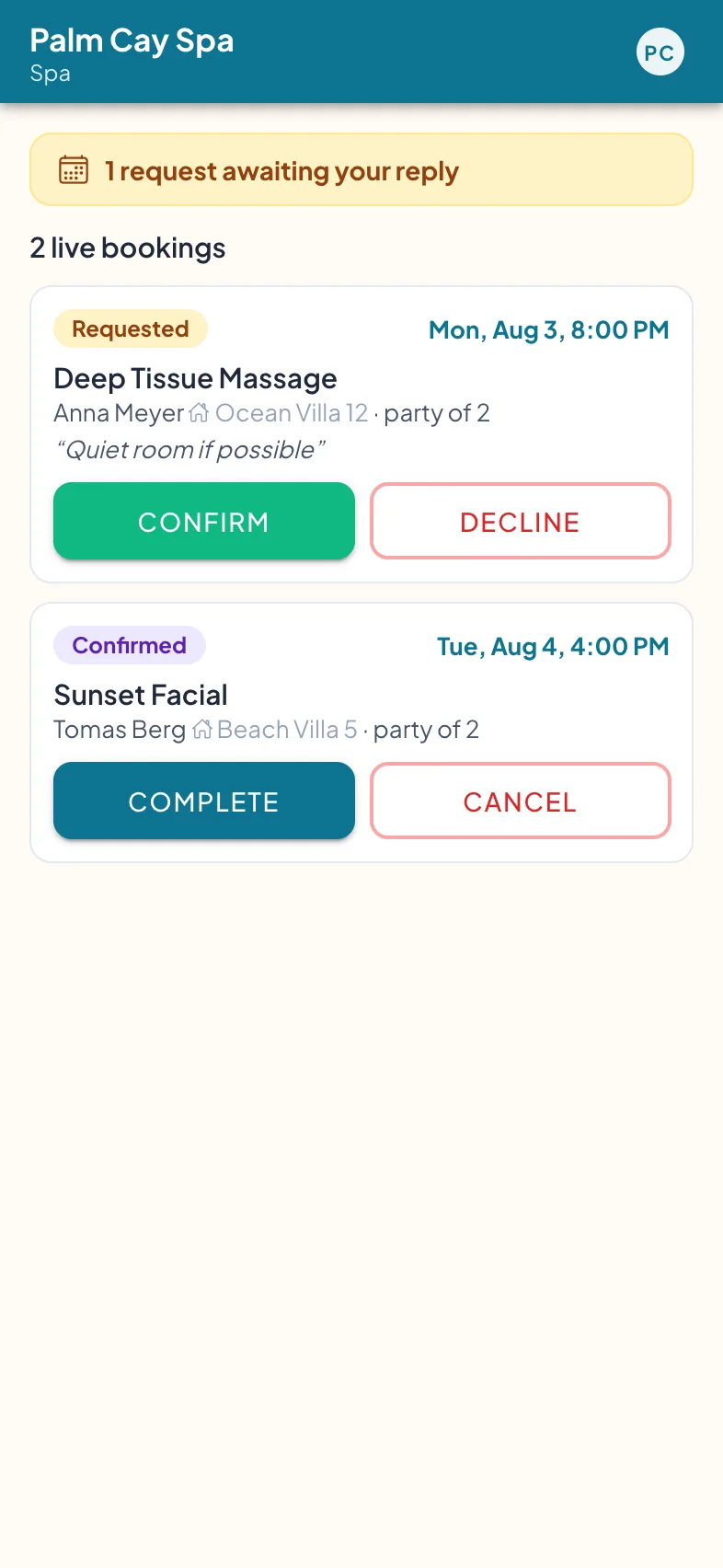
The spa’s board: confirm or decline, one tap.
The booking truth lives in a shared spreadsheet.
Seat 12 on the sunset cruise sold twice — again. Not because anyone was careless, but because the excursion desk’s system is a spreadsheet with two tabs open in two offices, a WhatsApp thread with the dive centre, and a phone that rings at the spa while the therapist’s hands are full.
A booking system for a resort island isn’t a calendar problem — it’s a who-answers problem. The request has to land with the venue that can actually say yes, and everyone else has to see the answer. That takes requests and confirmations, not a payments product.
How it works
The guest requests from the venue’s page
Each venue has its own page — services, prices, opening hours — and a Request a Time button. The guest picks a slot and a party size; a note rides along if they add one.
The venue answers from its own board
The spa, the dive centre, and the restaurant each sign in to their own booking board. New requests wait at the top; Confirm or Decline is one tap, with the venue’s live bookings in view.
The front desk can book for anyone
A guest at dinner, a phone left in the villa, a call from the jetty — reception books on the guest’s behalf from the Today screen, with the same slots, party size, and notes.
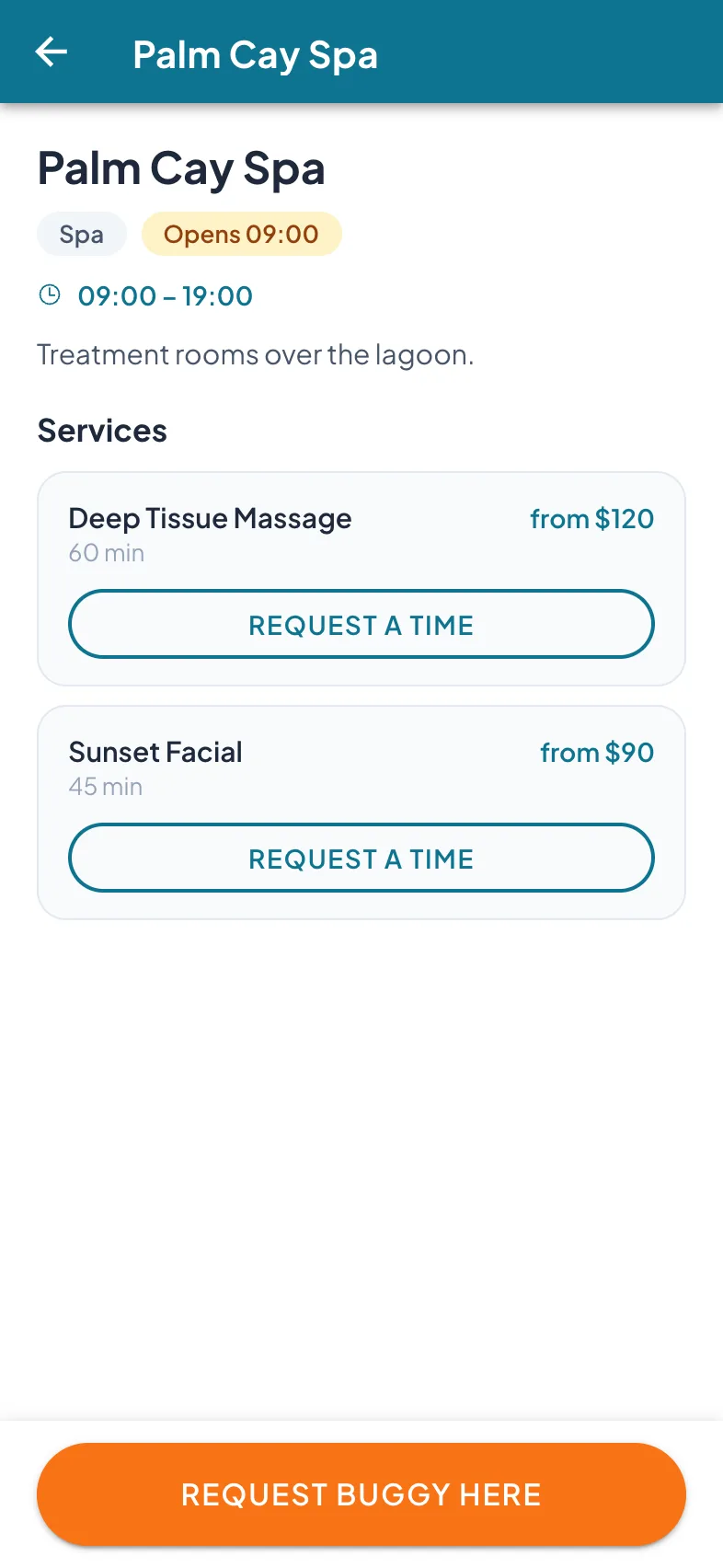
The guest’s side: pick a service, request a time.
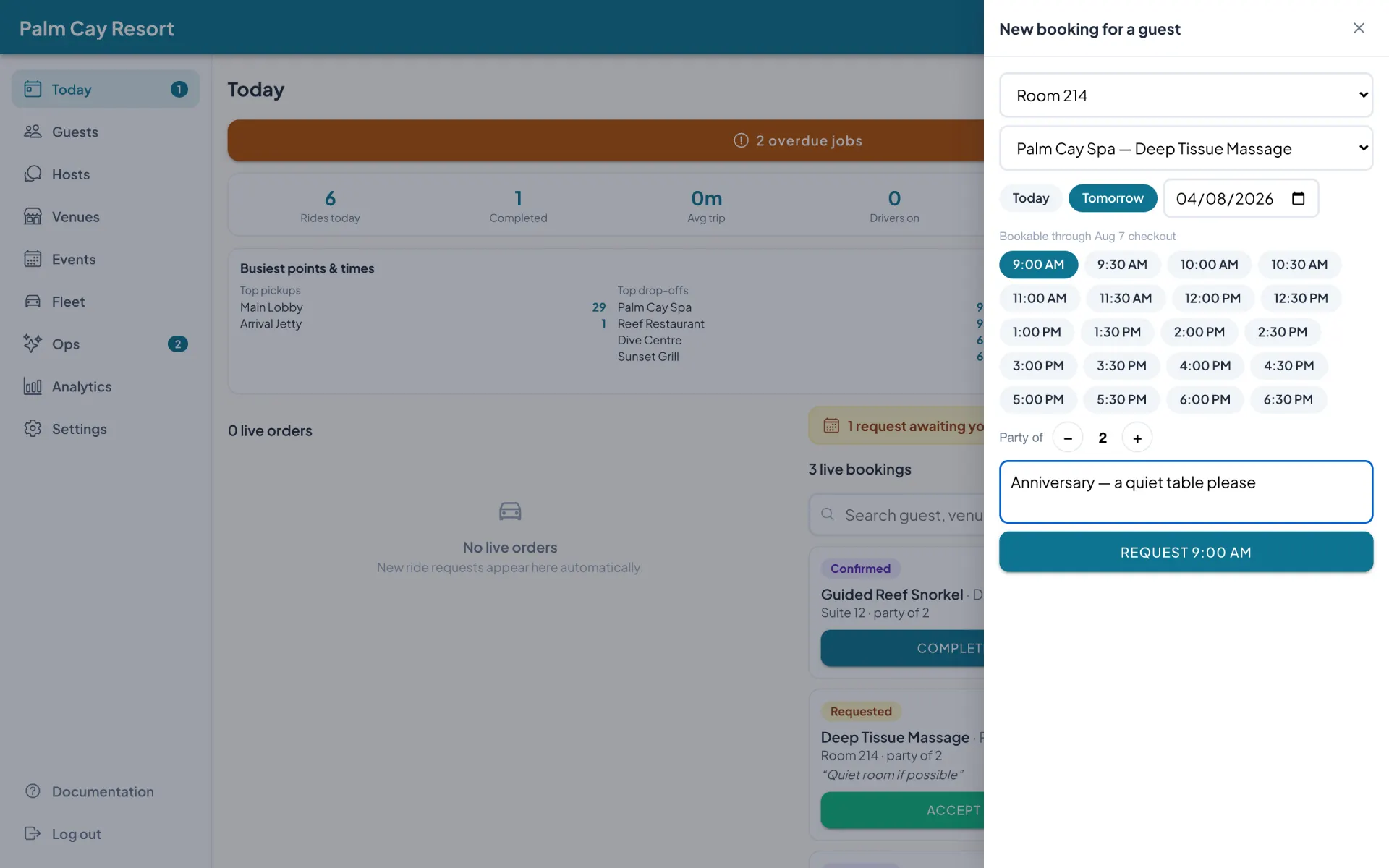
The front desk books on a guest’s behalf — villa, slot, party size, and the note — from the Today screen.
What it does today
Request, confirm, decline
Every booking is a request answered by a person at the venue — one board of record instead of a spreadsheet nobody fully trusts.
Venue pages with prices and hours
Services, starting prices, durations, and opening hours on each venue’s page — guests see what’s on offer before they ask.
On-behalf booking
The front desk books for a guest in seconds — villa, venue, slot, party size, and a note — without the guest opening their phone.
Party size and notes ride along
“Quiet room if possible” arrives attached to the request, with the party size — the venue reads it before it answers.
Bookable through checkout
Slots are offered only inside the stay — the app won’t take a request for the day after the guests have flown home.
One live view for ops
The admin Today screen shows requests awaiting a reply and live bookings across venues, next to the rest of the day’s operation.
It works alone — and with the rest of the stay
Bookings run on their own. The same app can also carry the rest of your guest operation, whenever you’re ready.
Guest messaging
The “is the spa open tomorrow?” question arrives translated — and the answer can be a confirmed booking.
Learn more →Resort Ops
Turnover sweeps, checklists, and repair work orders on one board, on staff phones — no guest surface at all.
Learn more →Villa QR cards
How guests reach the venue pages: scan the card in the villa. No app install, no passwords.
Learn more →And when you’re ready for dispatch: the same app runs your buggies — so the confirmed spa slot and the ride that gets the guest there can live in one system.
Priced per key. Piloted for free.
Pricing is per key, per month, with a free pilot before any commitment and payment by simple bank transfer. The tiers are on the pricing page.
Go deeper
For every failure mode of the excursion desk’s Excel — and what request-and-confirm looks like in practice — read Your Excursion Desk Runs on a Spreadsheet: A Better Way to Take Resort Activity Bookings.
Common questions
Do we need to run buggies to use this?
Can the front desk book for a guest?
Do our venues get their own access?
What about double bookings?
Do guests pay through the app?
Watch a request become a confirmed booking.
A 20-minute walkthrough of the booking board and the on-behalf drawer — a request placed, answered, and on the books while you watch.