
Talk to guests in their own language — fourteen of them.
Guests write in theirs, your front desk reads it in yours — translated on the resort’s own server by default.
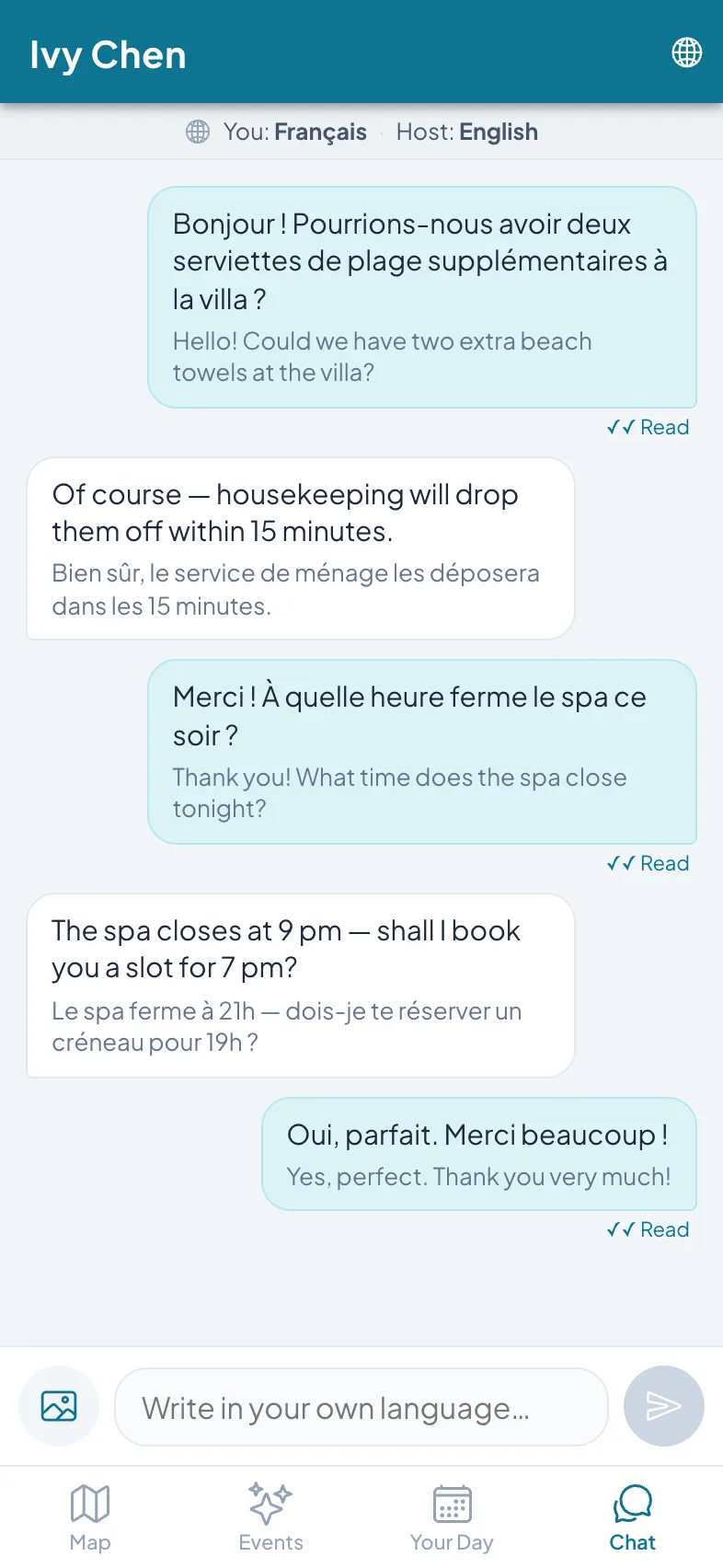
The guest’s side: French in, French out.
The WhatsApp number on the welcome card is a single point of failure.
One shared handset behind the desk. A guest writes in Russian at 23:10; whoever holds the phone pastes it into a translator, types an answer, pastes it back. The morning shift never sees the thread — it lives in one device’s history, behind one login, in whatever language the last person left it in.
Purpose-built guest chat replaces the handset, not the humans: every conversation translated both ways as it happens, tied to the villa and the stay, visible to the whole team. Guest messages are translated on the resort’s own server by default.
How it works
The same conversation, from both sides of the desk.
The guest writes in their own language
From the chat tab, a guest types the way they think — “Write in your own language” is the whole instruction. One scan and the thread is open in their browser.
Your team reads it in theirs
The front desk sees the message in English with the guest’s original underneath, and replies in English — the guest reads the answer in French. Both sides keep the original in view.
The thread belongs to the stay
The conversation is pinned to the villa and the stay dates, with read receipts. Night shift and morning shift open the same history, each from their own login.
The guest’s phone
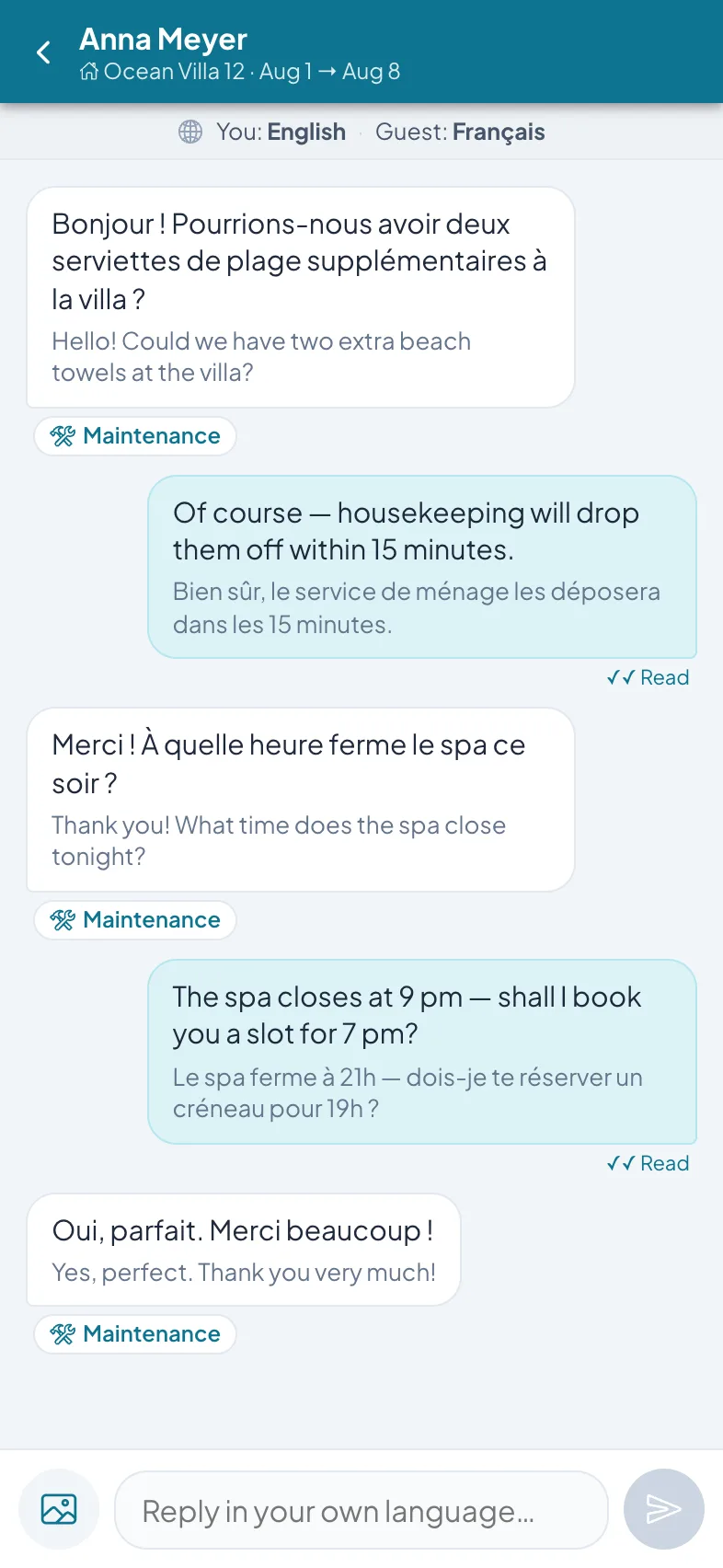
Your front desk
What it does today
Fourteen languages in guest chat
Guests write and read in their own language, your team in theirs — translated live in the thread, both directions.
Private by default
Guest messages are translated on the resort’s own server by default.
The original stays visible
Every translated message carries the original text underneath it, on both sides, so either side can check the words that were actually written.
Read receipts
Both sides see when a message has been read, so the guest knows the towels request landed.
One thread per stay
Each conversation is tied to the villa and its stay dates. Any team member who opens it sees the full history, whatever the shift.
Complaint to work order
A maintenance complaint in chat becomes a work order in one tap — the blocked drain goes straight onto the housekeeping board.
It works alone — and with the rest of the stay
Chat runs on its own. The same app can also carry the rest of your guest operation, whenever you’re ready.
Resort Ops
That one-tap work order lands here: turnover sweeps, checklists, and repairs on one board, on staff phones.
Learn more →Activity bookings
Spa, dive, and excursion requests on one board — venues confirm or decline, the front desk can book on a guest’s behalf.
Learn more →Villa QR cards
How guests get into chat in the first place: scan the card in the villa. No app install, no passwords.
Learn more →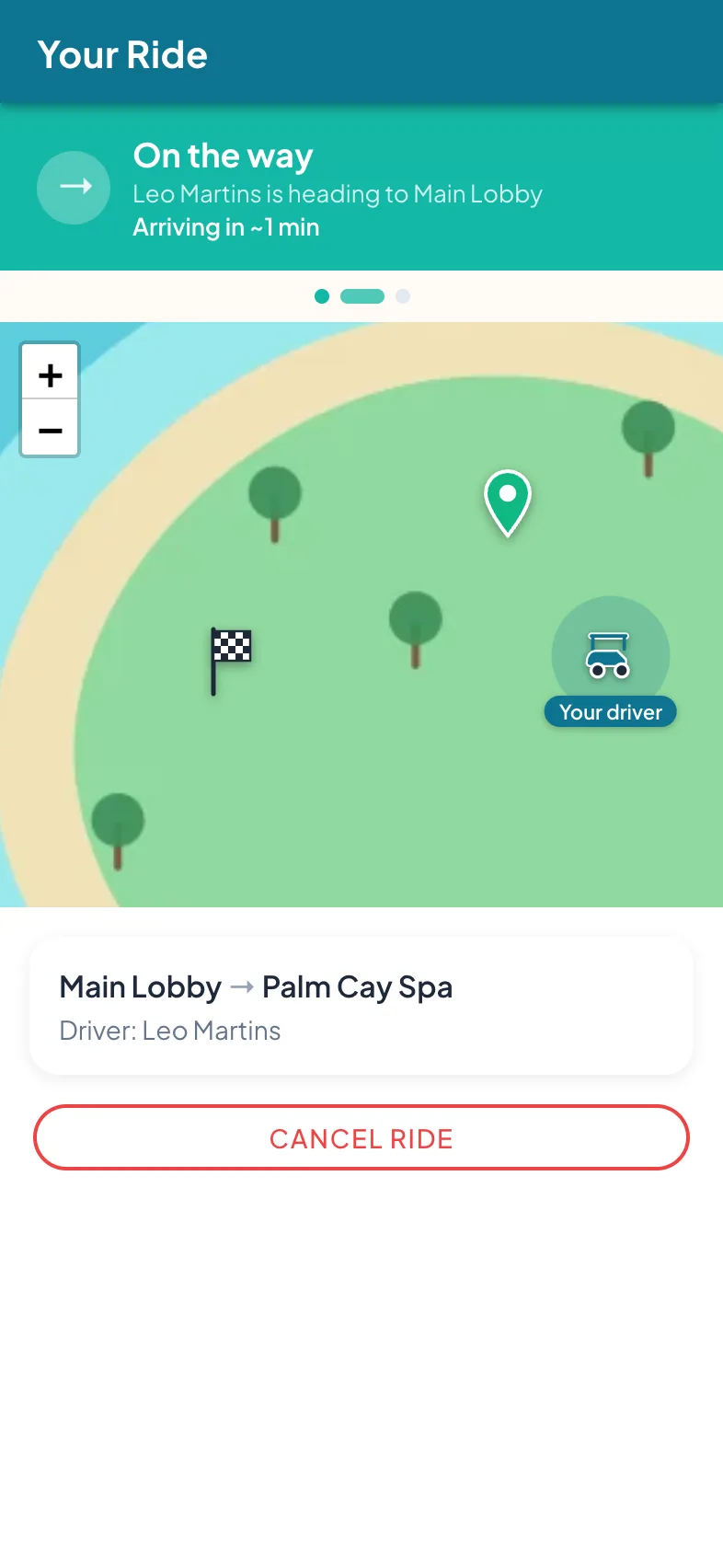
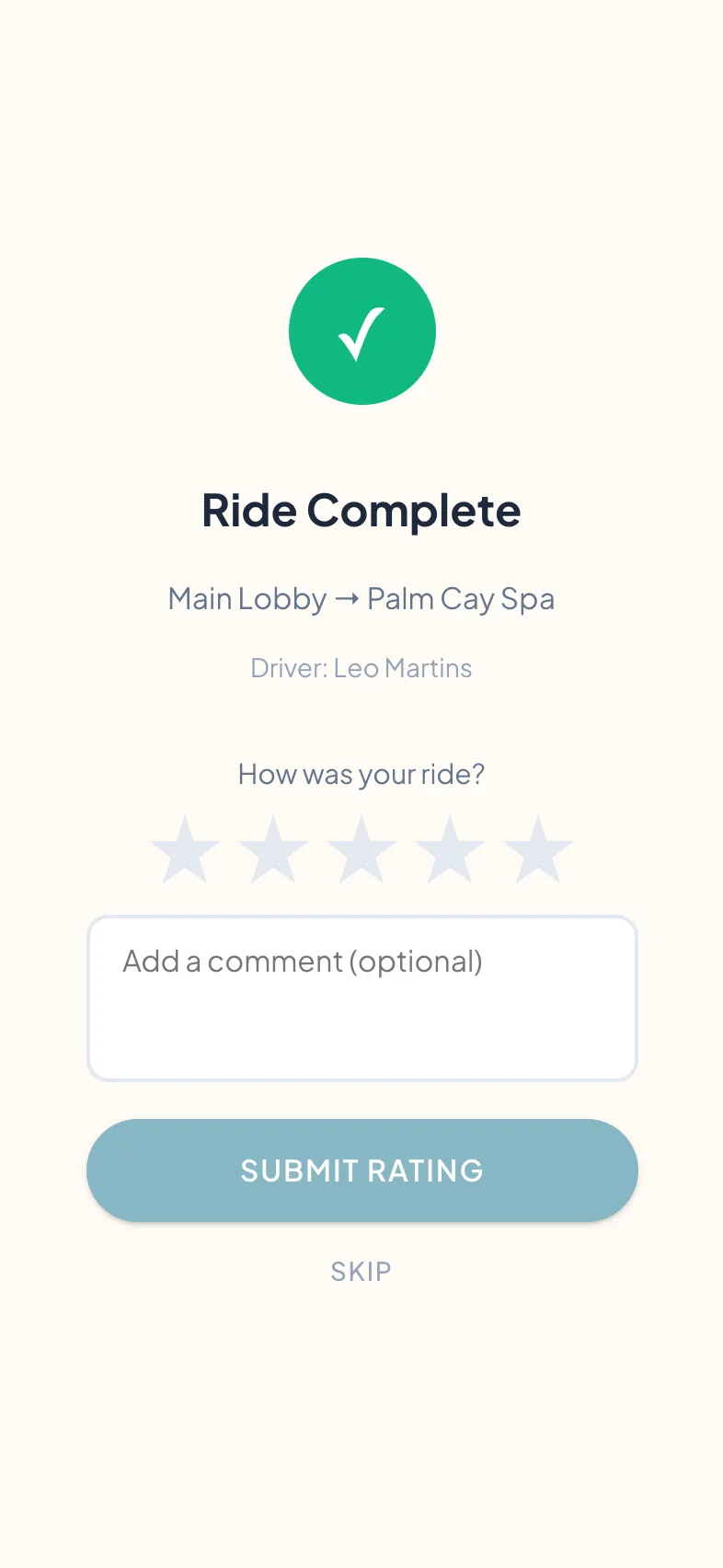
And when you’re ready for dispatch: the same guest app requests a buggy, tracks it live to the pickup, and takes a one-tap rating when the ride ends — chat sits one tab over the whole time.
Priced per key. Piloted for free.
Pricing is per key, per month, with a free pilot before any commitment and payment by simple bank transfer. The tiers are on the pricing page.
Go deeper
For the criterion-by-criterion comparison of the shared handset and purpose-built guest chat, read Guest Messaging for Resorts: Where the WhatsApp Number on the Welcome Card Breaks. For the four options a property actually chooses between — a shared inbox, WhatsApp Business API, PMS messaging, or purpose-built — read four guest messaging options compared — and the operations glossary defines the terms.
Common questions
Do we need to run buggies to use this?
How is this different from SMS or the WhatsApp number at the desk?
Where does the translation happen?
How many languages does it support?
Can a guest talk to the driver during a ride?
What happens when a guest writes at 23:10?
Do guests need to install anything?
See both sides of a translated conversation, live.
A 20-minute walkthrough of guest chat — the guest’s phone and your desk, translating in both directions as you watch.